Bitvavo · 2025-26 · Case study
From Figma to production: weeks became days
Bitvavo's website had no design system anyone could edit. I built one in Figma from the code itself and connected Figma, Hygraph and GitHub, so a page can go from design to the live site in days.
Context
Bitvavo’s website runs on Hygraph, a headless CMS, with styles in Tailwind CSS. Over the years many different people and teams had worked on it, including an external agency, and there was no real process for making new pages.
A website without a system
When I joined, there was no design system ruling the website. We had Tailwind styles, styles made by the agency, and other parts of the site built with their own styles and technology. Colors were hardcoded, components had been designed by different people, nothing was tokenized, and nobody really knew where things lived. Even the icons were a mix of styles, from a library that had been abandoned for years.
How a new page used to happen
- 01
Copy the website into Figma by hand.
There were no editable Figma files, so every designer had to rebuild the components they needed from the live site before designing anything.
- 02
Hand it over to development.
Engineers added the new pieces to Hygraph, often with hardcoded styles.
- 03
Wait for marketing to build the page.
Another team uploaded the images and the copy in the CMS, which is slow to preview, and finally published it.
Every new page meant several people and several weeks of manual work.
The system underneath
So I brought the three places where the website lived together: the code in GitHub, the content in Hygraph and the design in Figma.
I went through the code and the live site and extracted everything needed to rebuild it as a real design system: spacing, colors, typography and how it’s used, the patterns that repeated and the mistakes that didn’t. I also sorted out the icons, so we finally knew which ones we could use and how to add new ones.
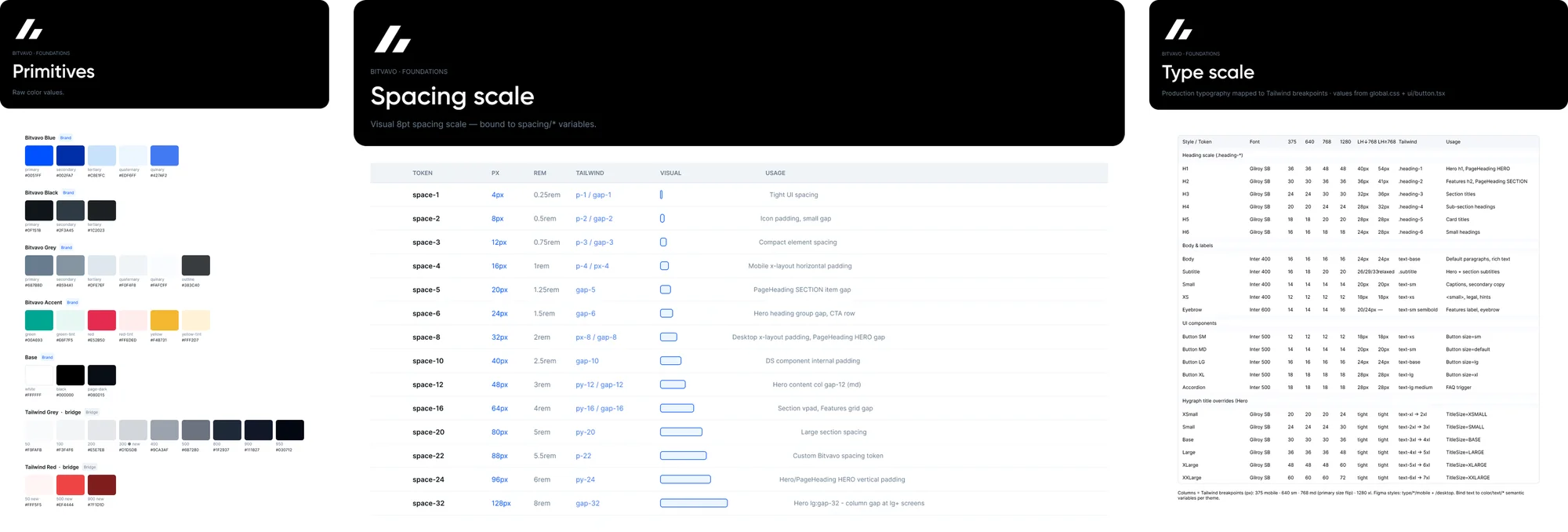
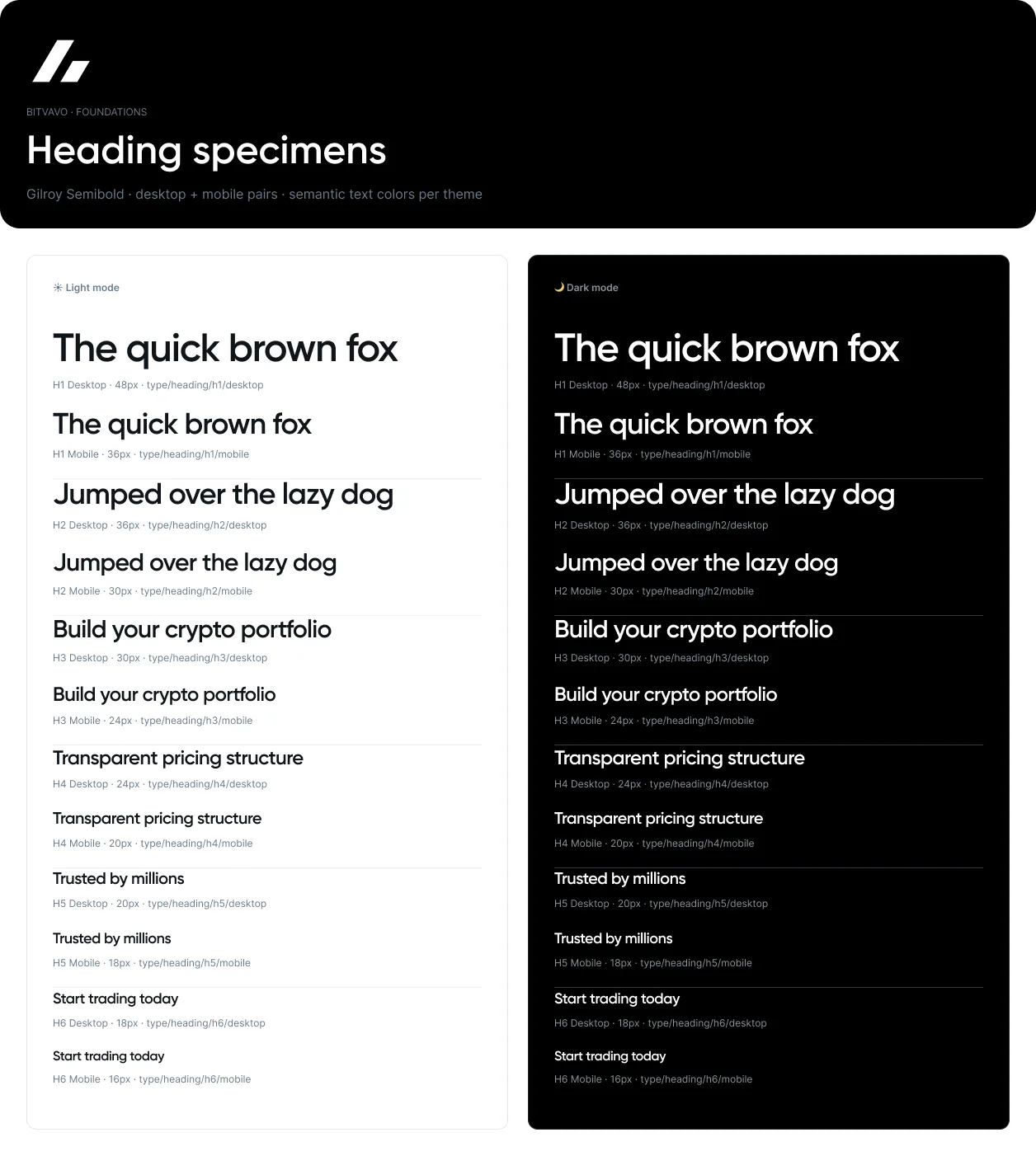
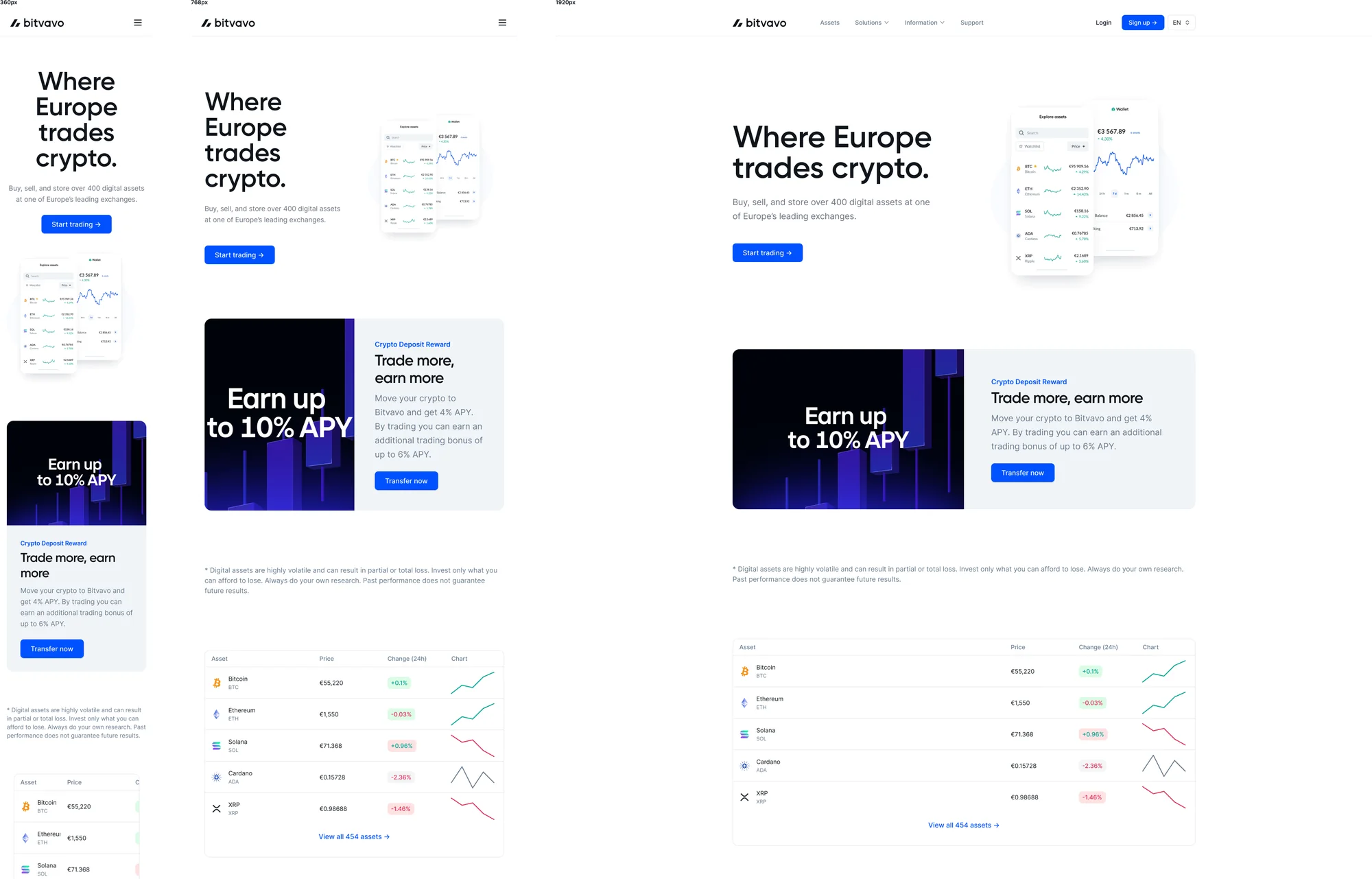
Then I rebuilt in Figma every reusable component that exists in Hygraph, with the same options the CMS offers (image on the left or right, different layouts and so on), all tokenized and with working prototypes. They work for landing pages, the blog and any other page.
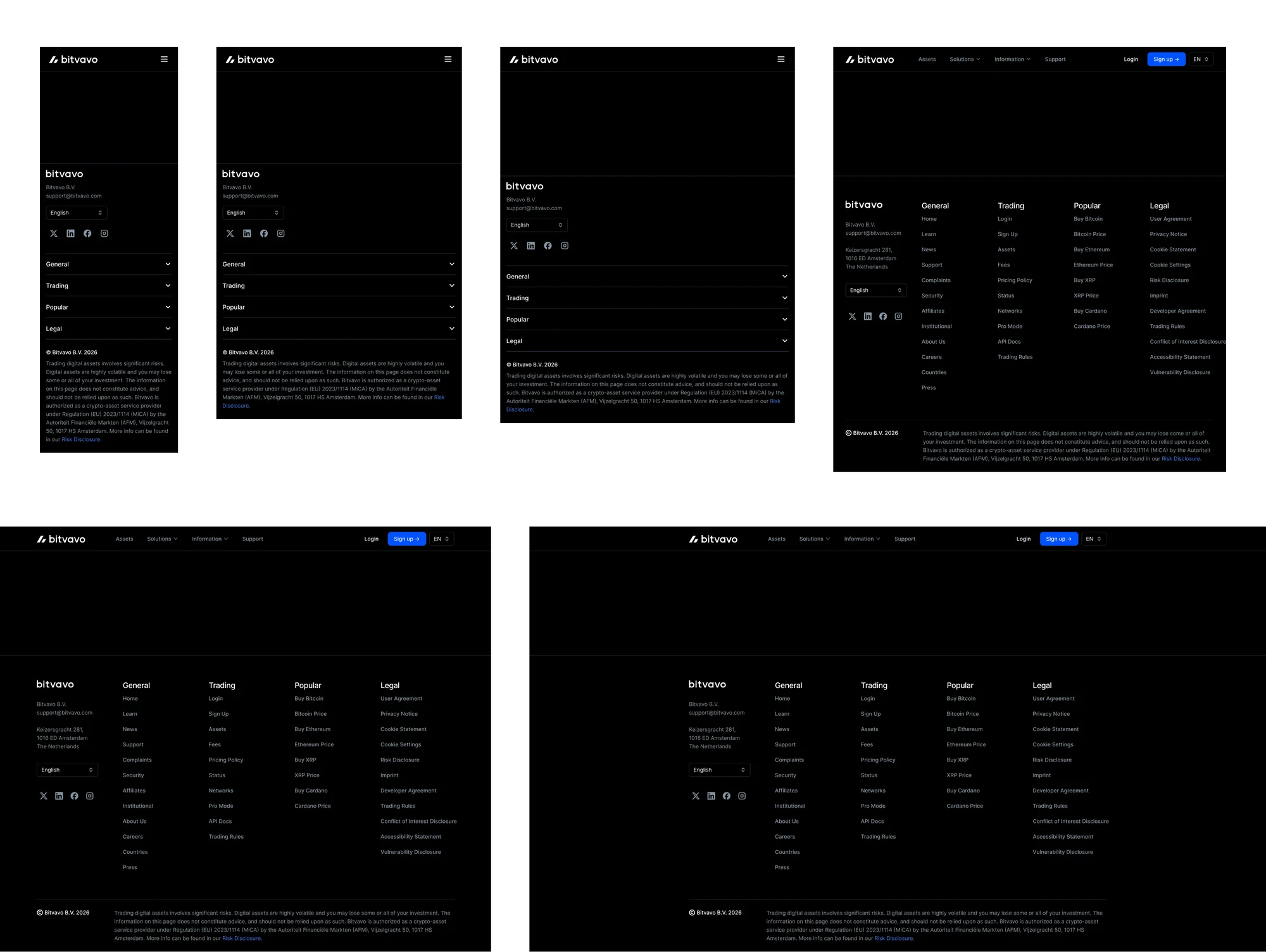
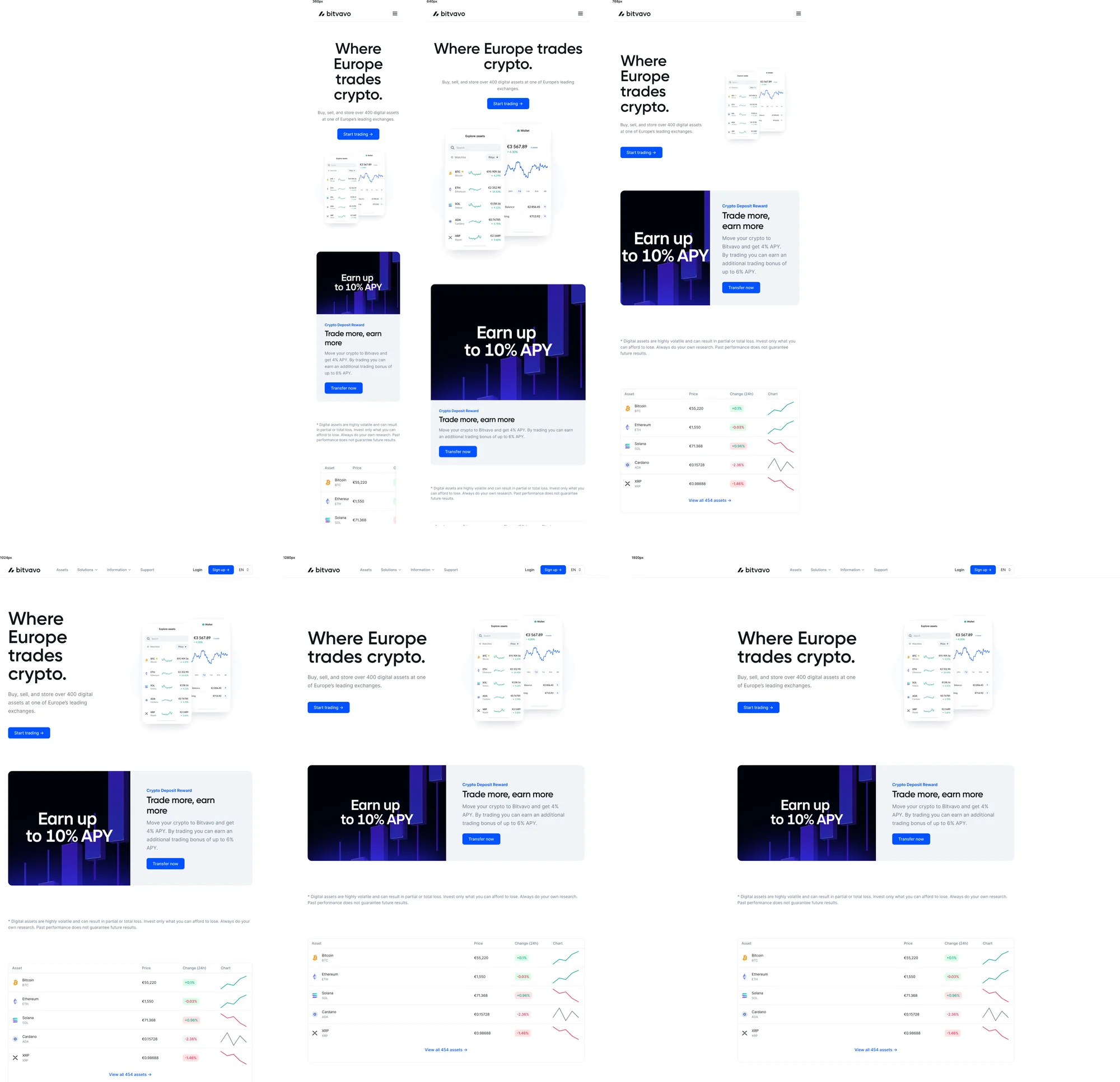
On top of that I made page templates for all our breakpoints, using Figma’s newest features like slots, so you can drag and drop the same pieces you have in the CMS and see the page exactly as it will look, without fighting with the CMS preview. AI helped me a lot here: with so many breakpoints, it let me check that every component looked right in every size, one to one with the website.
Connecting design and code
Because everything in Figma has the same names and structure as in Hygraph and in the code, I could connect them through MCP servers:
- 01Figma Website DSTokenized components and page templates, editable
- 02Figma MCPShares the design with the coding tools
- 03Cursor or ClaudeRead the design and prepare the changes I ask for
- 04Hygraph MCP + GitHubContent and components in the CMS, styles in the code
- 05Live websitePublished with one click
Now a page can be designed and written in Figma, and when it’s ready I ask Cursor or Claude to send it to Hygraph. It knows which components to use, where each text goes and which images to place. It even works with languages: translators can write the copy for all six languages right in Figma, and it goes straight to the CMS instead of being copied by hand.
It also works for new components. I can design a component, take its styles to the source code, and set it up in Hygraph with guides that explain what each option does, so not only I, but anyone in marketing or on the team can use it.
My first design to code project: the comparison table
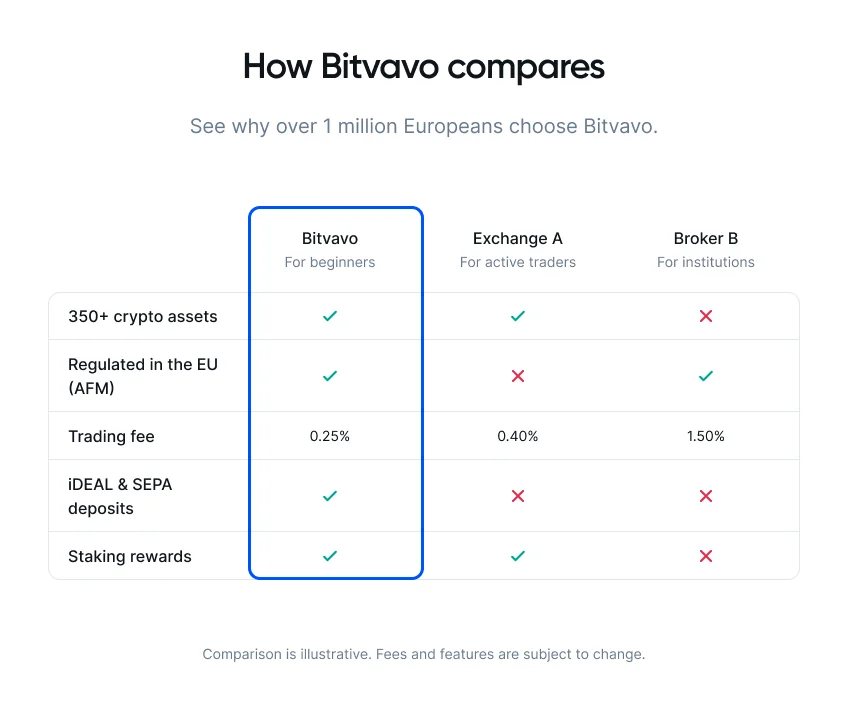
The first real test was a component the team needed: a comparison table for pages like Bitvavo next to other platforms, fees and features. Marketing had to be able to change it by themselves, and it had a second job: a clear, well-structured table helps AI tools read the site and give people organized, useful answers.
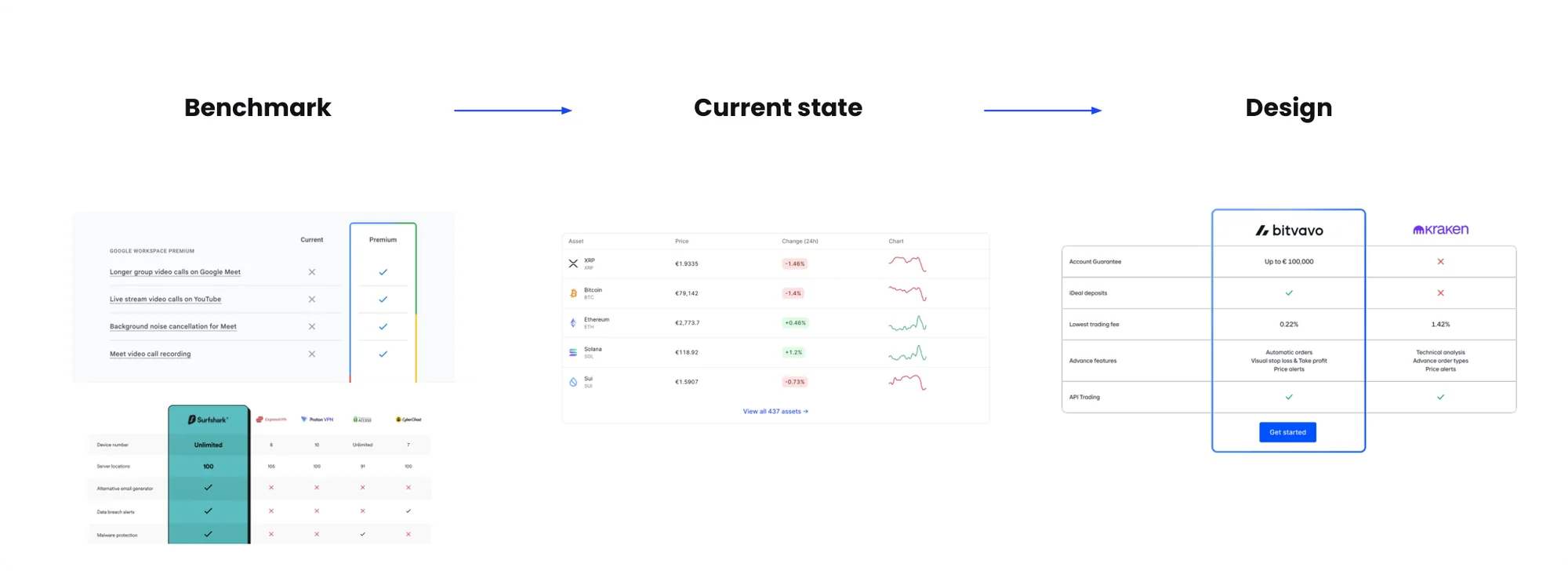
I started with a benchmark and our current pages, then designed the component:
Then I took it to code myself and connected it to Hygraph and to our design tokens, so it follows the light and dark themes. From the CMS, marketing can play with:
- The number of columns and rows.
- Logos or text in the header.
- Cells with a check, a cross, text, or nothing.
- Titles, subtitles and disclaimers.
- A call to action under each column.
- An optional highlighted column with the brand gradient.
Results
What used to take several people and a lot of manual work now goes from Figma to the live site much faster, and the whole team can use the same pieces. The system also became the base for new components, like the banner and hero of the World Cup landing pages and the carousel.
And it prepares us for what comes next: with the design system and its tokens connected to the code, a future redesign can start in Figma and travel straight to the source code.